AI TOOL / #07146
ImageToText
An extension that copies text from images on the internet via the OCR.Space API.
Introduction
An extension to copy text from images on the internet using OCR.Space API.
What is the OCR.Space API AI Chrome extension/plugin?
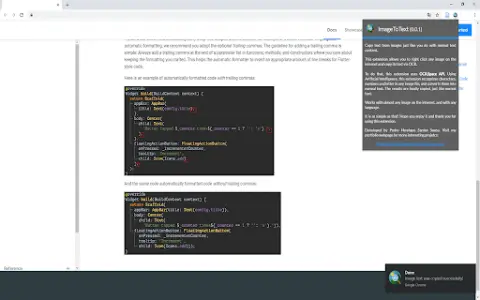
This extension lets you copy text from any image on the internet just like regular text content. Simple—that's the goal of this app. Just right-click the image, select “Copy Image Text,” and you're done… You can use and paste the text you see in that image. It's very useful for extracting text from informative, entertaining, and code-block images. Now you don't have to rewrite everything—with this extension, the problem is solved. To process images, this extension uses the OCR.Space API.
How do I use the OCR.Space API AI Chrome extension/plugin?
Right-click an image, select "Copy Image Text," and then paste the extracted text.
Core features of the OCR.Space API AI Chrome extension/plugin
Copy text from images on the internet.
Related
Lingobo
AI-powered practice for professional English conversations between individuals and businesses.
Aiera Extension
A browser extension for transcribing the current tab's audio using Aiera's ASR technology.
Voice Master: Speech-to-Text Converter (Voice Recognition)
A Chrome extension designed for voice-to-text conversion and AI-powered text editing.
Lucida AI
An AI-driven English speaking coach for employees, offering personalized feedback and safe language training.
Blahget
An AI-powered voice expense tracker for convenient financial management.
VoiceWave: ChatGPT Voice Control
Enhance ChatGPT's voice control, read-aloud functionality, and multilingual support.