AI TOOL / #02529
Text to Google Calendar
Chrome extension: Allows users to create Google Calendar events directly from highlighted text.
Introduction
Chrome extension to create Google Calendar events from highlighted text.
What is the Text to Google Calendar AI Chrome extension/plug-in?
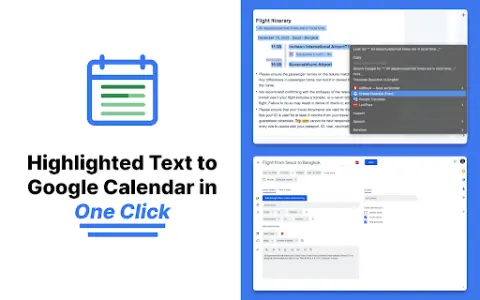
Text to Google Calendar is a Chrome extension designed to simplify the process of creating events on Google Calendar. It allows users to highlight text from emails or web pages and convert that text into calendar events with just one click, eliminating the need to manually copy and paste event details.
How to use the Text to Google Calendar AI Chrome extension?
Install the Text to Calendar Chrome extension. Highlight the relevant text containing event details (date, time, description, location) on a web page or in an email. Click the extension icon, and it will automatically use the extracted information to create a Google Calendar event.
The core functionality of the Text to Google Calendar AI Chrome extension.
Click to create an event based on the highlighted text.
Automatically fill in the time zone, location, and event details.
Easily create multiple and duplicate calendar events.
Related
Lingobo
AI-powered practice for professional English conversations between individuals and businesses.
Aiera Extension
A browser extension for transcribing the current tab's audio using Aiera's ASR technology.
Voice Master: Speech-to-Text Converter (Voice Recognition)
A Chrome extension designed for voice-to-text conversion and AI-powered text editing.
Lucida AI
An AI-driven English speaking coach for employees, offering personalized feedback and safe language training.
Blahget
An AI-powered voice expense tracker for convenient financial management.
VoiceWave: ChatGPT Voice Control
Enhance ChatGPT's voice control, read-aloud functionality, and multilingual support.