AI TOOL / #09115
AI Humanize AI
These AI tools are designed to make the text generated by AI indistinguishable from human-written content, ensuring that it reads smoothly and naturally. They also come equipped with other writing tools.
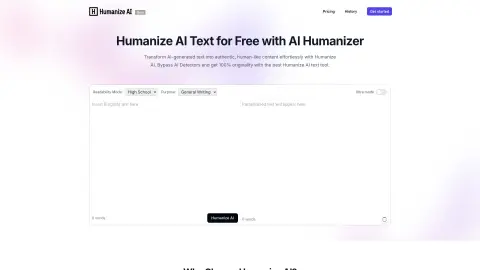
Introduction
AI Humanizer tool to make AI text undetectable and natural-sounding, with other writing tools.
What is Humanize AI?
Humanize AI is a free tool designed to make artificial intelligence-generated text appear more natural and human-like, making it impossible for any AI detectors to identify its origin. In addition to this functionality, it also offers various other tools, such as an AI writing assistant, a grammar checker, a plagiarism detector, an AI citation generator, an AI summary tool, an AI-based scientific search system, a text rewriter, and a PDF chat function.
How to use Humanize AI?
1. Paste the text generated by AI into the input box.
2. Click the “User-friendly” button.
3. Compare the original text with the revised, more user-friendly version.
4. Copy and use the text that has been modified to make it more user-friendly.
The core function of Humanizing AI
AI-powered, user-friendly tools
AI detector
syntax checker
AI writing assistant
plagiarism detector
rewriting tool
Reference generator
AI-powered scientific search
AI summary tool
PDF chat
Related
VB Notes
Local Markdown notes with semantic search functionality
Perit
Collect training data for cutting-edge models
Retypit
Change the text in the image while retaining the original font style.
"What the Water Keeps: Dreamlike Rowing"
A rowing game that takes players through eight dreamlike worlds; the original post did not include a link; the link comes from the re-posters @Bhavani_00007 and @meta_pavy.
Rooftop Rally: Pikball on the Roof (Unreal 5.9)
Fable 5.2 + Preview Version of Unreal Engine 5.9; the characters were created using Tripo, while all other assets and levels were also generated with this tool.
Cloud Stunts 3D
Generated in 30 minutes.