AI TOOL / #07468
Ask Screenshot for Claude
Enhance the productivity of Claude AI through screenshot analysis and text processing techniques.
Introduction
Enhances Claude AI productivity with screenshot and text analysis.
What is the Ask Screenshot AI Chrome extension/plug-in?
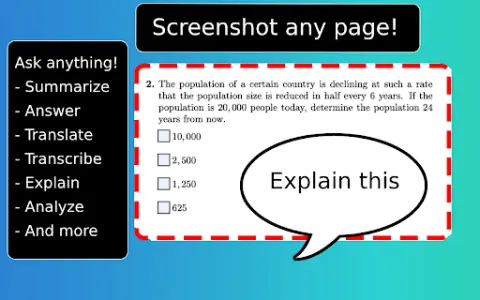
Ask Screenshot is a tool designed to enhance the productivity of Claude AI, allowing users to directly analyze screenshots or selected text within Claude AI. It offers both predefined and customizable templates for tasks such as summarization, transcription, interpretation, and translation.
How to use the Ask Screenshot AI Chrome extension?
To use “Ask Screenshot”, right-click on any page and hover your cursor over “Ask Claude” to access the available screenshot templates. For selected text, right-click on the text in question and hover over “Ask Claude” to view the relevant templates.
Discover the core features of the Screenshot AI Chrome extension/plug-in.
Screenshot analysis: Take a screenshot of the screen and automatically open it within Claude AI.
Text selection analysis: Right-click on any selected text to automatically open it in Claude AI.
Predefined templates: Use templates such as Summary, Explanation, Answer, Translation, etc.
Customizable templates: All templates can be customized to suit your workflow and specific requirements.
Related
Four-search Navigation
The “Four Search” function is designed for monitors with a size of 22 inches or larger. It is stylish and practical, and enables you to search through an unlimited amount of online content.
Time Bottle TimeBottle
The Time Bottle is an innovative tool for time management and concentration.
USTC
Course Resources of the University of Science and Technology of China (Open-sourced and organized on GitHub)
Single-player Cat Games Website
Stand-alone PC Game Website: Sharing the latest resources for downloading stand-alone games
Yu Ka Compass
The YuKaohuan website is a free resource designed specifically for high school students in Henan Province. It offers daily practice questions, past exam papers, knowledge frameworks, and quick reference guides to assist with learning. Additionally, it provides information on the admission scores and rankings of various colleges and universities, helping students determine their target institutions and achieve their desired placement.
z2h.cn
This is an elegant and practical online tool for generating practice sheets. It allows users to easily customize the desired content, supports any combination of Chinese characters and English text in terms of layout, and enables flexible adjustment of the style and size of the highlighted lines, as well as the selection of specific characters to be practiced.