AI TOOL / #07230
hahaOCR
Extract text from the image; press the ESC key to exit.
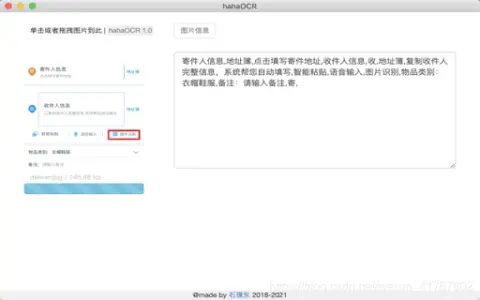
Introduction
Extract text from images and exit with ESC.
What are the Image to Text and ESC Exit App AI Chrome extensions/plugs?
This application allows users to extract text from images and convert it into editable text. Users can upload images by clicking a button and exit the application by pressing the “ESC” key.
How to use the Image to Text & ESC Exit App AI Chrome extension/plug-in?
Click the upload button to select an image. The application will automatically extract the text from the image and display it. Press the “ESC” key to exit the application.
The core functionality of the Image to Text and ESC Exit App AI Chrome extension/plugin.
Image to Text conversion
Use the ESC key to exit the function.
Related
CryptoMatic Bot
An automated cryptocurrency trading platform based on AI and machine learning designed to make profits.
Foliko by SynerAI
An AI-driven stock market analysis platform that provides trading signals and news insights.
ALWIN
Algae utilizes blockchain technology to democratize real estate investment, allowing investors to start with a minimum contribution of just €10.
Sopra.ai Real Estate Assistant
A real estate investment tool utilized for ROI analysis, transaction underwriting, and property flipping.
HODL it!
An AI-based encryption investment advisory service that provides trading signals, portfolio tracking, and social trading features.
Capital Companion
An AI-driven stock analysis platform that provides real-time insights for traders in the United States.