AI TOOL / #07092
BlackboxAI
A browser extension that utilizes real-time encoding for assistance.
Introduction
Browser extension for real-time coding assistance.
What is the BLACKBOX AI Extension – an AI add-on/plug-in for Chrome?
BLACKBOX AI Extension is a tool designed to enhance your coding workflow by providing real-time assistance with code-related questions and suggestions. It is seamlessly integrated into your browser and GitHub, offering features such as code chat, context-aware answers, and OCR (Image-to-Text) functionality.
How to use the BLACKBOX AI Extension for Chrome?
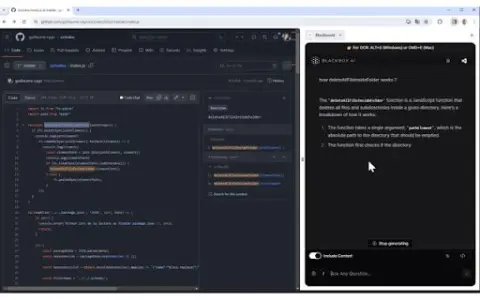
You can use the BLACKBOX AI extension via the browser icon, keyboard shortcuts, or directly within GitHub. Use Code Chat to get answers to common coding questions; enable the “Include Context” option to ask about issues related to the current page, and click the “Code Chat” button on GitHub to inquire about specific code repositories. The OCR function can be activated by pressing CTRL+E (on Windows) or CMD+E (on Mac).
The core functionality of the BLACKBOX AI extension for Chrome.
Code chatting feature assisted by real-time encoding
Answering Questions Based on Context Awareness
Specific code assistance integrated with GitHub
OCR (Image to Text) Function
Related
MIT OpenCourseWare
MIT course materials open to the public: handouts, assignments and exams.
Ootto AI
Automatically creating marketing videos by analyzing your website content
Incredible
A computer-based intelligent agent that can help you find work to do.
Impractical
Using conversations to create product animation videos
Manufact
MCP Application Hosting and Listing Verification
Storiara
The budget and schedule will be determined 20 minutes after the script is uploaded.