AI TOOL / #06796
AutoPod
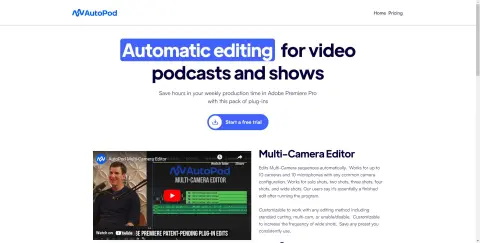
An Adobe Premiere Pro plugin for automatic video podcast editing.
Introduction
Adobe Premiere Pro plugin for automatic video podcast editing.
What is AutoPod?
AutoPod is a set of plugins for Adobe Premiere Pro, designed specifically for video podcast and video program editors. It automates tasks such as multi-camera editing, creation of social media-ready content, and seamless editing based on audio silence markers. By streamlining processes that often prove time-consuming for editors, AutoPod helps to save valuable production time every week.
How to use AutoPod?
Install the AutoPod plugin in Adobe Premiere Pro. Open a project file in Premiere Pro, navigate to Window > Extensions, and then click on the desired AutoPod application. Use these tools to automatically edit multi-camera videos, create social media-ready clips, or add transitions based on audio silence.
The core functions of AutoPod
Automatic multi-camera editing
Social media content creation
Jump-cut editing
Related
icai.ai
ICAI: an AI innovation center connecting Dutch academia, industry, and government.
BeatJar
Artificial intelligence-based services that create customized personalized songs based on the stories you share.
CelebrateAlly AI
An AI-powered platform for creating personalized celebrations, offering tools for a variety of occasions.
Bear
An artificial intelligence-driven gift platform designed to provide individuals and businesses with a personalized and convenient experience when giving gifts.
Gifts Genie
Intelligent Gift Idea Generator – Simplify the gift-giving process.
Snappy
Snappy is a personalized gift-giving platform that offers AI-powered gift recommendations and same-day delivery services.