AI TOOL / #06677
Voice Control for Netflix
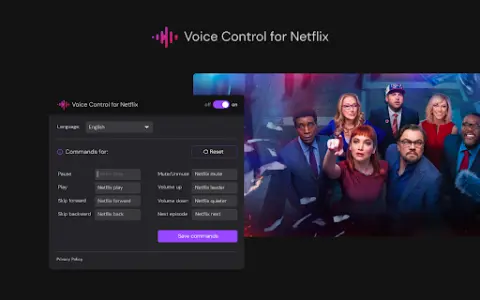
Use voice control to operate Netflix: play, pause, fast-forward, and more.
Introduction
Control Netflix with your voice: play, pause, fast-forward, and more.
What is the Voice Control for Netflix AI Chrome extension/plugin?
Netflix’s voice control allows users to manage their Netflix experience via voice commands. This includes tasks such as playing, pausing, and advancing videos, all without the need to use a remote control or touch the screen.
How to use the Voice Control feature for the Netflix AI Chrome extension/plug-in?
Simply enable Netflix’s voice control, and then use voice commands to control playback, navigate the menu, and search for content.
The core functionality of the Netflix AI Chrome extension/plugin for voice control
Use voice control to operate Netflix playback functions (play, pause, fast forward, rewind).
Hands-free navigation, Netflix menu
Voice search for films and TV shows
Related
covariant.ai
Covariant offers AI-driven robotic solutions for warehouse automation and picking processes.
Nebius
A cloud platform for building, fine-tuning, and running AI models on NVIDIA GPUs.
Semiring
Semiring simplifies the process of building and deploying custom machine learning models by requiring minimal amounts of data and specialized knowledge.
prompteasy.ai
Prompteasy.ai: Fine-tunes artificial intelligence models by generating datasets through conversations with AI systems.
GPTder
A platform designed to help users discover, utilize, and develop GPT models, offering account sales with immediate delivery.
Countless.dev
A free, open-source platform that enables users to compare AI models from various suppliers.