AI TOOL / #06525
Whisper Text Reader
Browser plug-in that reads selected text aloud using text-to-speech technology.
Introduction
Browser extension that reads aloud selected text using text-to-speech technology.
What is Read Aloud ai chrome extension/plugin?
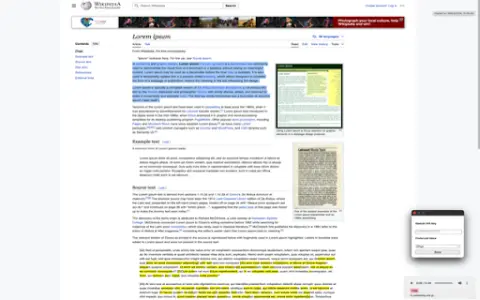
Read Aloud is a browser plug-in that uses text-to-speech (TTS) technology to read web page text aloud. It supports multiple voices and languages, allowing users to customize their listening experience. The plug-in integrates seamlessly with web browsers, allowing users to easily select text and have it read aloud with a right-click.
How to use Read Aloud ai chrome extension/plugin?
Highlight selected text on a web page, right-click and select "Speak this text" to have the plug-in speak the selected text.
Read Aloud ai chrome extension/plugin core features
Text-to-speech functionality for web text
Related
Podnotes
Artificial intelligence platform that repurposes podcasts and videos into various content formats in 19+ languages.
Cleaveer AI
Cleaveer utilizes AI technology to convert YouTube videos into blog posts, articles, topics, and summaries.
Smart Media Cutter
Software equipped with AI-driven capabilities for lossless video and audio editing.
Audio Trimmer
A Chrome extension designed for online audio editing, supporting various file formats and AI-powered editing features.
CSVAPI
Instantly convert CSV files into APIs that support filtering and data parsing.
DocDriven
An AI-powered visual API design tool for front-end and back-end teams.