AI TOOL / #06413
Audiotext AI
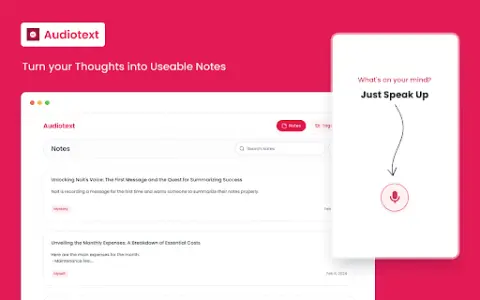
Audiotext AI converts audio to text, removes filler words, and offers multiple transcription styles.
Introduction
Audiotext AI converts audio to text, removing filler words and offering various transcription styles.
What is the Audiotext AI AI Chrome extension/plugin?
Audiotext AI can convert audio into accurate text by removing unnecessary words and generating concise summaries. It allows users to transcribe speech into text, offering multiple styles such as short summaries, bullet points, passive voice, and active voice.
How do I use the Audiotext AI Chrome extension/plugin?
1. Speak naturally, including filler words. 2. Choose a transcription style (short summary, long summary, bullet points, etc.). 3. Click "Transcribe."
Core features of the Audiotext AI Chrome extension/plugin
Audio to text
Remove unnecessary words.
Concise Summary
Rewriting with AI for style adjustment
Shareable note link
Related
Sidebarr – chatgpt, bookmarks, apps and more
A Chrome extension that provides quick access to bookmarks, ChatGPT, and other Google applications.
ExplainTXT: AI Reading Assistant
ExplainTXT simplifies complex texts in various fields and languages in real-time.
BenAI Research Assistant
A Chrome extension that helps scientists efficiently browse and analyze scientific literature.
Glarity – Summarize Google and YouTube
ChatGPT extensions designed for summarizing content from YouTube videos, Google pages, and other websites.
Summarize.wtf – AI Copilot
Quickly summarize web pages and documents.
SitePro: Chat with websites like a pro
SitePro: Train custom chatbots on websites to enable efficient information retrieval.