AI TOOL / #06135
Ask Screenshot for ChatGPT
Improve ChatGPT productivity by analyzing screenshots and selected text.
Introduction
Enhances ChatGPT productivity by analyzing screenshots and selected text.
What is the Ask Screenshot AI Chrome extension/plugin?
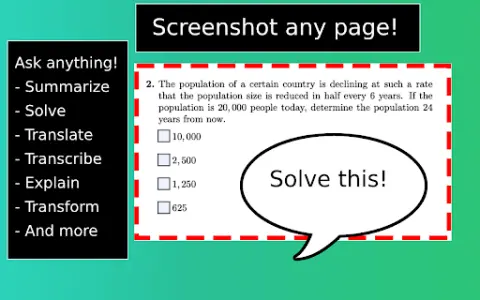
Ask Screenshot is a tool designed to improve productivity in ChatGPT, allowing users to analyze screenshots or selected text directly within ChatGPT. It offers features such as summarization, transcription, and translation, making it easier to extract information and process content from visual and textual sources.
How do I use the Ask Screenshot AI Chrome extension/plugin?
To use Ask Screenshot, right-click anywhere on any page and hover over Ask GPT to access the available screenshot templates. For selected text, right-click the selected text and hover over Ask GPT to view the available templates.
Core features of the Ask Screenshot AI Chrome extension/plugin
Screenshot and analyze: Take a screenshot and automatically open it in ChatGPT for analysis.
Text selection and analysis: Right-click any selected text to automatically open it in ChatGPT.
Related
Scholar AI
AI-powered research and learning tools, providing access to over 200 million academic papers.
PriceIntelGuru
An AI-powered price intelligence and product matching platform.
lineup.ai
Artificial intelligence-driven prediction and scheduling software designed for the catering industry, aimed at optimizing operations and enhancing profitability.
SQL Notes
Datascale: Enables organizations to query and visualize data relationships, while automating the management of data catalogs.
Particl
An AI-powered platform for competitor tracking and market analysis, specifically designed for the e-commerce industry.
MinusX
AI data scientists are here to assist you in utilizing existing analytical tools.