AI TOOL / #05876
Do Browser
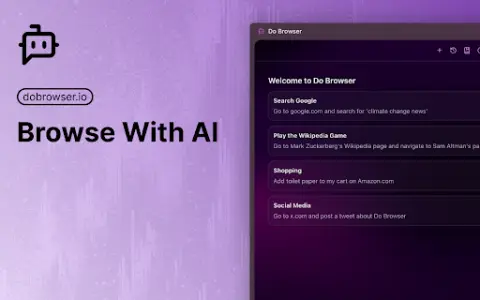
An AI-powered Chrome extension that enables control of the browser via natural language commands.
Introduction
AI-powered Chrome extension for browser control using natural language.
What is a Do Browser AI Chrome extension/plug-in?
Do Browser is an AI-powered extension for Chrome that allows users to control their browser using natural language commands. It provides quick access through the address bar or keyboard shortcuts and also supports voice commands. Its purpose is to simplify tasks such as filling out forms, shopping, and navigating complex web interfaces.
How to use the Do Browser AI Chrome extension/plug-in?
Enter “do” in the address bar or use the shortcut keys Cmd+K/Ctrl+K to activate the Do Browser. Then, use natural language commands to instruct the extension to perform tasks within the browser.
What are the core functions of browser AI Chrome extensions/plugs?
Natural Language Browser Control
Access via the address bar and keyboard shortcuts
Voice command support available
Related
deephow.com
DeepHow: An intelligent knowledge partner that accelerates employee training and enhances security.
Voxpopme
A centralized qualitative data analysis platform that utilizes video surveys, interviews, and artificial intelligence for analysis.
Brainfish Agent Assist
Agent Assist helps customer service agents resolve issues faster with instant, tailored answers.
Bold360
Chrome extension for quick access to the Bold360 Knowledge Base and suggest new topics.
moyoNote
An all-in-one AI tool for organizing information into mind maps with interactive Q&A and secure sharing.
OpenChit
An AI chat client with text, voice, and knowledge base capabilities.