AI TOOL / #04897
Patent Highlighter
Browser extensions that highlight technical information in patents while suppressing legal jargon.
Introduction
Browser extension that highlights technical information in patents, suppressing legal jargon.
What is the Patent Highlighter AI Chrome extension/plug-in?
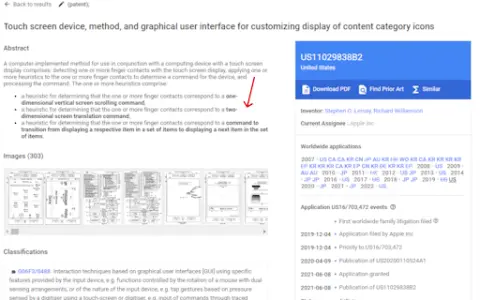
The Patent Highlighter is a browser extension designed to enhance the efficiency of reading and understanding patents. It highlights technical information within patent documents while suppressing redundant legal terminology, allowing users to quickly identify key inventions and technical details without altering the original text written by the inventors.
How to use the Patent Highlighter AI Chrome extension/plug-in?
1. Open a patent on Google Patents.
2. Click the patent highlighter extension icon in your browser.
3. Click the "Highlight" button.
4. Wait for the important information to be highlighted.
The core functionality of the Patent Highlighter AI Chrome extension/plugin
Highlight the technical information contained in the patent.
Reducing the use of redundant legal language
Maintain the original text written by the inventor.
Browser extension integration
Related
Kadoa
AI-based web crawler for coding-free automated data extraction and transformation.
InstantAPI.ai
An AI-driven web crawler instantly converts web pages into personalized APIs.
Temu™ AI Review Analysis & Download
An AI tool that provides comment analysis and download features for Temu sellers.
Data Donkee
AI-powered website proxies simplify the process of data extraction without the need for coding.
Resume Copilot
Instant resume feedback tool to improve your job application success rate.
Bing Copilot
A Chrome extension that integrates Bing Search and an AI assistant to enhance the browsing experience.