AI TOOL / #03316
AI addition learning helper
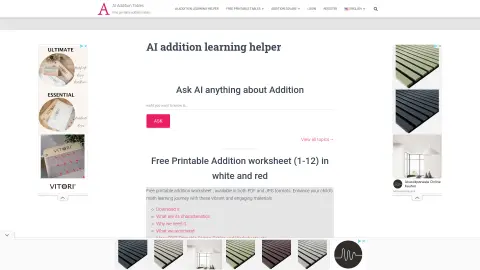
AI Addition Learning Assistant – provides interactive charts and printable addition tables.
Introduction
AI addition learning helper with interactive charts and printable addition tables.
What are Addition Tables?
The AI Addition Learning Assistant is a question-and-answer tool that allows users to input addition problems and receive answers. It helps people learn addition or find relevant resources. In addition, it offers a variety of free printable multiplication tables. Discover a wealth of free, interactive, and printable resources for learning addition – from engaging interactive charts to colorful downloadable PDFs, suitable for students, parents, and educators alike. Enhance your addition skills with its fascinating visual elements and user-friendly interface.
How to use the addition tables?
By clicking on any cell, you can use the interactive addition chart to view the addition equation and hear its pronunciation. You can also download and print free addition charts and worksheets in various styles and colors for effective practice.
The core functionality of the Addition Tables feature
Interactive addition chart with audio pronunciations
Free printable addition charts in various colors (green, blue, gray, rainbow, red, white).
A variety of free, printable addition worksheets in different styles
An AI-based addition learning assistant designed for question-and-answer interactions
Related
MindVideo – Unlimited View Generation
MindVideo AI is an online AI video generation tool. It enables the conversion of text into videos as well as images into videos. It comes equipped with the latest Google Nano Banana large model, which allows for unlimited image creation and AI-based video editing functions. Additionally, it supports the creation of various video effects through a single click, using over 40 different AI algorithms.
Imageye
Imageye is a browser-based extension for image scraping and batch downloading. It automatically scans all the images present on a current web page and offers features such as filtering, previewing, format conversion, and one-click batch downloading. With just one click, it can identify all visible and hidden images on the page and provide you with convenient access to them.
Zoom Earth
Recently, the weather in Zhengzhou has been absolutely unbearably hot. On the 16th, the maximum temperature reached 44 degrees Celsius! I’d like to share with you a map platform that allows you to observe the weather around the world. It’s called Zoom Earth. Zoom Earth is an interactive tool developed by Neave Interactive.
Image Toolbox
The Image Toolbox is an open-source, free, and versatile image-processing tool for Android devices. If you frequently need to edit images, this app is definitely one of the essential tools in your mobile device arsenal. It offers features such as pixel-level drawing, filters, batch processing, format conversion, and even AI-powered functions.
Universal small in-AI thesis expert
Universal Xiaoin is an AI creation assistant with 130 + AI applications. With just a title, you can quickly generate a literature review, issue report, PPT, work summary, and so on. Demonstrating that the tool calls itself a thesis artifact, I opened the membership to try it out and found that this tool is really something!, I asked him to help
CrxDL
As is well known, it is not possible to access the Google Chrome extension store normally in China. If you want to install extensions for your Chrome browser, you have to first download the corresponding.crx files locally before installing them. CrxDL is exactly a service that allows you to search for such extensions.