AI TOOL / #02660
Grok Button
A browser extension that provides quick access to Grok AI.
Introduction
A browser extension for quick access to Grok AI.
What is a Grok Button?
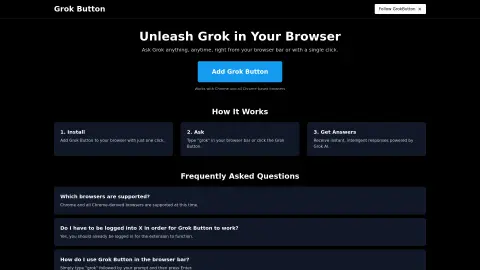
The Grok button is a browser extension that seamlessly integrates the powerful capabilities of Grok AI into your web browser. Users can submit their questions by entering “grok {your question}” in the browser address bar or by clicking the Grok button, and they will receive instant, intelligent responses.
How to use the Grok Button?
Install the Grok button extension. To use it, enter “grok” followed by your question in the browser address bar, then press Enter, or click the Grok button.
The core functionality of the Grok Button
Quickly access Grok AI from your browser.
Answer questions immediately
Integration with Chrome and Chrome-based browsers
Related
PicKey ai
A password manager that utilizes artificial intelligence for visual memory and augmented reality to enable secure login without the need for passwords.
ChatBoo
ChatBoo is an application that offers personalized AI companions and a range of advanced features for intelligent conversations.
AI Realm – AI Game Master
An AI-driven RPG inspired by DnD 5e, featuring adventures and characters generated by artificial intelligence.
Ohayo AI
A platform that uses blockchain and artificial intelligence to create, connect with others through, and maintain personalized AI characters on a permanent basis.
IntelliMuse
An AI companion application designed for creative conversations and personal growth, which allows users to customize their own “muses.”
Blockscape
Blockscape transforms your iPhone into a spatial computing portal, enabling immersive 3D interactions.