AI TOOL / #01793
Omniaxe
A Chrome extension designed to simplify data extraction, note-taking, and research analysis.
Introduction
Chrome extension for streamlined data extraction, note-taking, and research analysis.
What is the Omniaxe AI Chrome extension/plug-in?
Omniaxe is a comprehensive Chrome extension designed to enhance research productivity. It simplifies the processes of data extraction, note-taking, and analysis directly within the browser, making it ideal for analysts, researchers, and students.
How to use the Omniaxe AI Chrome extension/plug-in?
By installing the Omniaxe Chrome extension, you can easily capture and extract data, and directly take notes or analyze information within your browser.
The core functions of the Omniaxe for Chrome extension/plugin
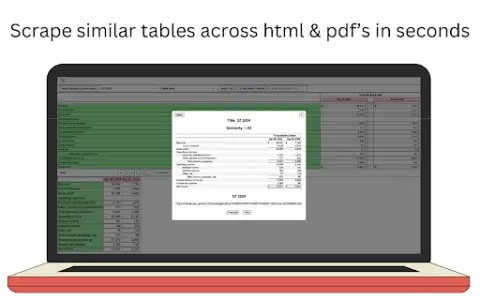
Seamlessly extract data from both HTML and PDF files.
AI-powered note-taking and data analysis
Centralized note-taking system, with support for tags and search functionality.
Simplified research workflow
Related
Image Fx – Free AI Image Generator
A free AI image generator that creates stunning visual images based on text prompts – no registration required.
Stud.AI
Stud.AI is a learning companion application that features AI-powered tools for learning and collaboration.
Studyy – Instant Flashcards
An app that instantly creates flashcards from scanned text for efficient learning.
Autogon AI
A code-free artificial intelligence platform that helps companies build, deploy, and expand their AI models.
Unriddle
An AI research assistant for faster understanding, organizing and writing scientific documents.
CapyParse
An AI-powered converter that transforms PDF files and images into CSV/Excel formats, specifically designed to assist in the processing of bank statements.