AI TOOL / #10751
autocut.com
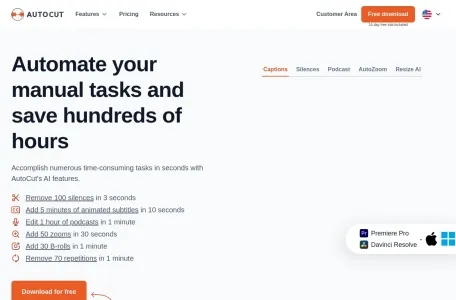
An AI plugin for Premiere Pro and DaVinci Resolve that automates video editing tasks.
Introduction
AI-powered plugin for Premiere Pro & DaVinci Resolve to automate video editing tasks.
What is AutoCut?
AutoCut is a plugin for Premiere Pro and DaVinci Resolve that uses AI to automatically add animated subtitles, remove silence, edit podcasts, add B-roll, apply zooms, remove duplicate clips, and more. It automates manual tasks, saving video editors time and effort.
How do you use AutoCut?
Install the AutoCut plugin in Premiere Pro or DaVinci Resolve. With its features, you can easily remove silence, add animated captions, edit podcasts in real time, apply zoom, and handle other editing tasks—all with a single click.
AutoCut's core features
Automatic silence removal
Animated subtitles
Podcast Editor
Auto scaling
Duplicate fragment removal
Auto-resize
Automatic B-Roll
Automatic profanity filter
Automatically generate trending short videos
Automatic Chapter
Related
EC Solver: Auto Recognition and Bypass
A browser extension that can automatically solve CAPTCHAs on any webpage.
hektCaptcha: hCaptcha Solver
Browser extensions that use AI to automatically solve hCaptcha challenges.
HideMyAI
Humanized tools for AI content generation help prevent the text produced by AI from being detected by AI detectors.
BypassGPT AI
An AI-friendly tool designed to rewrite text generated by AI systems and help bypass those systems’ detection mechanisms.
Vivas.AI
Vivas.AI provides citizen developers with AI/ML models built on low-code platforms.
XenonStack
XenonStack: An AI-first organization building data and AI platforms and cloud-native applications.